
HomelabARR CE
Simplify self-hosting with an easy-to-use dashboard for 100+ apps.
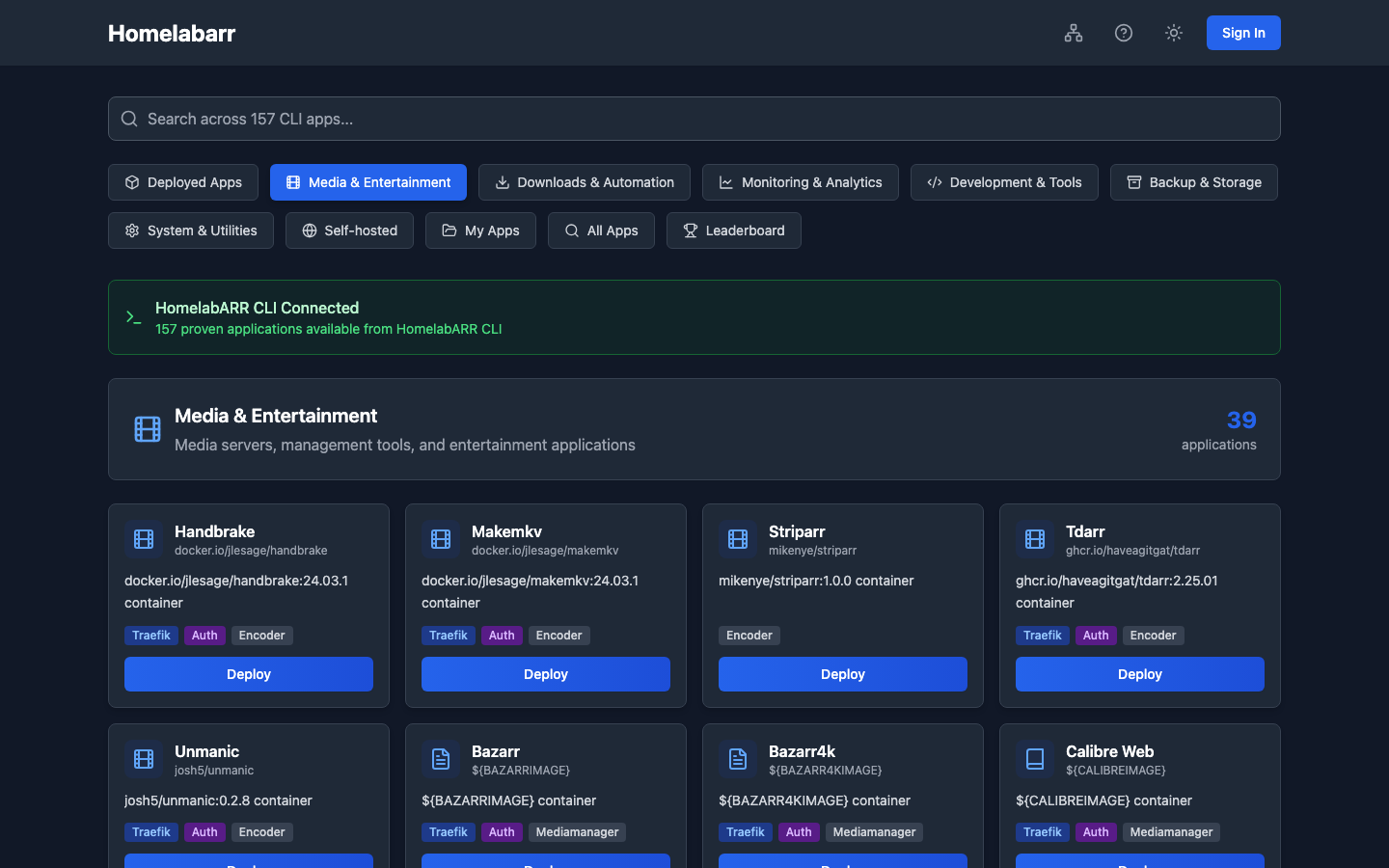
You shouldn't need to wrestle with Docker Compose files and YAML syntax just to run Plex, Nextcloud, or Pi-hole. HomelabARR CE is a free, open-source dashboard that deploys 100+ self-hosted apps with one click — media servers, download clients, AI tools, home automation, and more.
Whether you just bought your first server or you've been running a homelab for years, HomelabARR meets you where you are. Start with the GUI, grow into the CLI and API when you're ready.
What you need to get started
A Linux server with Docker installed. That's it. If you don't have Docker yet, the Quick Start guide covers it in the first step.
Default credentials
The default login is admin / admin. Change your password immediately after setup — the dashboard is open to anyone on your network until you do.
Quick Start
# 1. Clone the repo (includes all app templates)
git clone https://github.com/imogenlabs/homelabarr-ce.git /opt/homelabarr
cd /opt/homelabarr

# 2. Set required variables
export JWT_SECRET=$(openssl rand -hex 32)
export DOCKER_GID=$(getent group docker | cut -d: -f3)
export CORS_ORIGIN=http://YOUR-SERVER-IP:8084

# 3. Start HomelabARR
docker compose -f homelabarr.yml up -d
Open http://YOUR-SERVER-IP:8084 and log in with admin / admin — then change your password right away.
What You Get
- 100+ app templates across 10 categories — ready to deploy in one click
- Three deployment modes — Local (direct ports), Traefik (reverse proxy + SSL), Traefik + Authelia (SSO/MFA)
- Real-time deployment — watch container pulls and startup via Server-Sent Events
- Container management — start, stop, restart, remove, and view logs from the dashboard
- Port Manager — see what ports are in use, find available ones
- Dark mode — automatic or manual toggle
- API key authentication — generate
hlr_prefixed keys for programmatic access - Mobile app — optional iOS/Android companion for quick monitoring on the go
- Mobile-responsive — works on phones and tablets without the app
App Categories
| Category | Examples |
|---|---|
| Media & Entertainment | Plex, Jellyfin, Emby, Mstream |
| Downloads & Automation | qBittorrent, SABnzbd, NZBGet, Prowlarr, Jackett |
| Media Management | Radarr, Sonarr, Lidarr, Bazarr, Readarr, Tautulli |
| Monitoring & Analytics | Netdata, Grafana/Prometheus, Speedtest, Notifiarr |
| Virtual Desktops | Chrome, Firefox, Discord, Steam, Signal (via Kasm) |
| Backup & Storage | Duplicati, Restic, Rsnapshot |
| System & Utilities | Portainer, Dozzle, Uptime Kuma, Watchtower, Gluetun |
| Self-hosted | Nextcloud, Bitwarden, Pi-hole, Home Assistant, n8n |
| AI & Machine Learning | Ollama, Open WebUI, ComfyUI, Stable Diffusion, LocalAI |
| My Apps | Your own custom Docker Compose templates |
Requirements
| Component | Minimum |
|---|---|
| OS | Ubuntu 22.04+ / Debian 12+ / any Docker-capable Linux |
| CPU | 2 cores |
| RAM | 4 GB |
| Disk | 20 GB |
| Docker | 24.0+ with Compose v2 |
Multi-architecture support
HomelabARR CE images are built for both x86_64 (amd64) and ARM64 (aarch64) — runs on Raspberry Pi 4/5, Apple Silicon, AWS Graviton, and standard x86 servers.
Built With LinuxServer.io
The majority of our app catalog uses LinuxServer.io container images — the gold standard for self-hosted Docker containers. We're proud to be a sponsor. If you love what they do, consider supporting them too.
Links
- HomelabARR — Product home
- GitHub
- Discord — Get help, share your setup
- Demo — Try it live (login: admin/admin)
- Imogen Labs — Built by Imogen Labs
- Developer